Skip links

GREATER SACRAMENTO · FINANCING & CUSTOMER SERVICES

Financing. Payments.
Project access.

Open your USC invoice, use its secure Pay Now option, or sign in for project updates and documents.

Completed USC remodel · Roseville, CA ↗

PLAN YOUR HOME IMPROVEMENT

Financing through Synchrony.

Compare how the two financing types work, then ask our team for the offer terms available for your purchase.

01

Promotional financing.

A deferred-interest offer with a deadline to pay the promotional balance in full.

How interest works
Interest can be charged from the purchase date if the promotional balance is not paid in full by the deadline.
Monthly payments
Required payments still apply. Minimum payments may not pay off the promotional balance in time.
Terms to confirm
Promotional period, payoff deadline, required payments and the APR that applies under the offer.
02

Reduced-rate plans.

A financing plan that charges interest at the APR specified in your offer.

How interest works
Interest applies under the reduced-APR plan. This is not an interest-free promotional period.
Monthly payments
The offer determines the required payment. Compare the repayment schedule and total financing cost.
Terms to confirm
APR, monthly payment calculation, expected repayment period and applicable fees.

This is a comparison of financing types, not a specific credit offer. Subject to credit approval. Availability and terms vary.

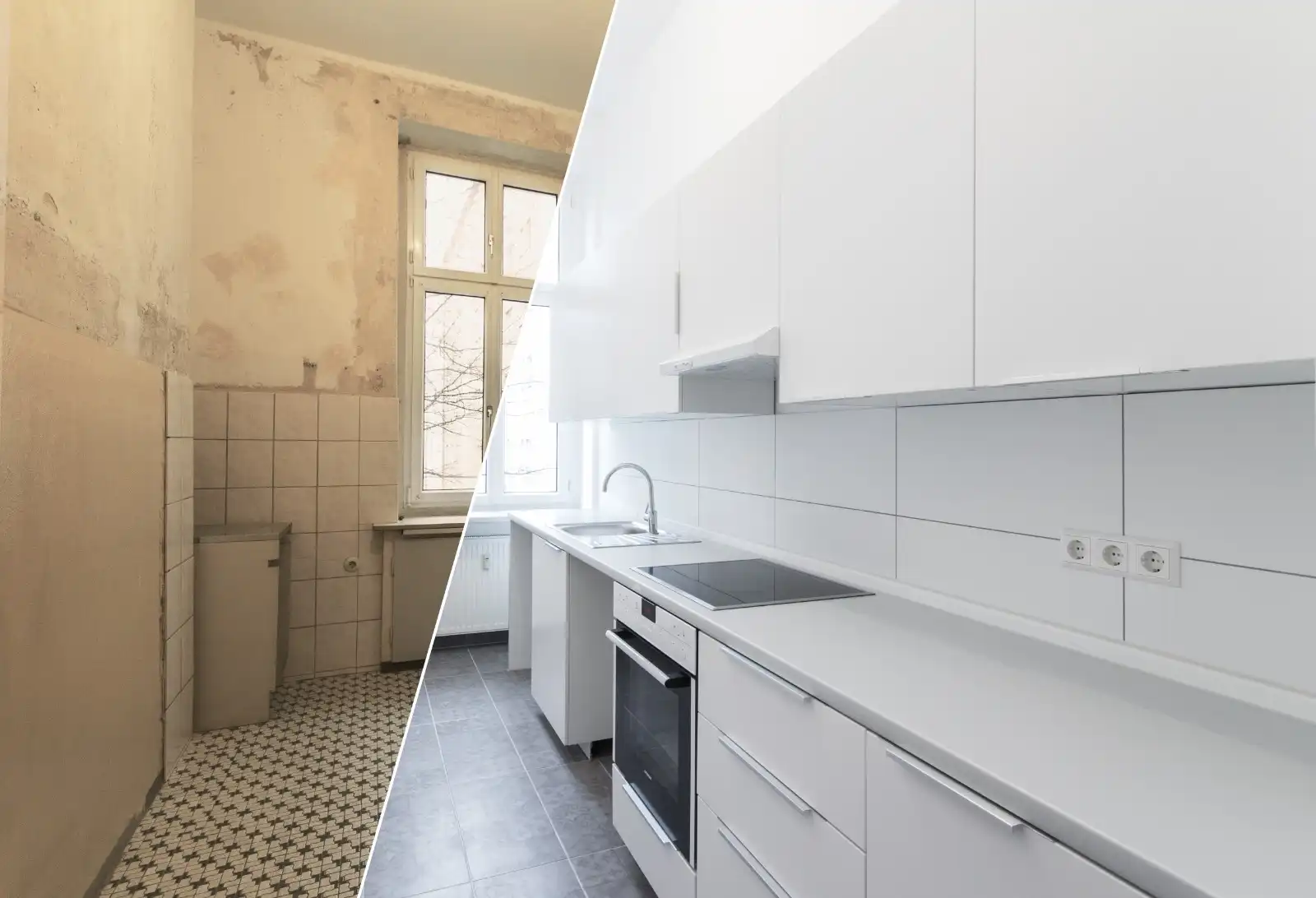
Kitchen remodeling shown on the US Construction website

A CLEAR NEXT STEP

Start with your project.

Financing may be discussed for remodeling, roofing, siding, additions, ADUs and other approved USC project scopes. We review the current offer terms after we understand your project and budget.

  1. Tell us about your project.We review the scope and discuss financing with you.
  2. Review the available offer.Check the financing terms and application details before deciding.
  3. Apply through Synchrony.Credit approval and the financing agreement determine your eligibility and terms.
SEND A FINANCING REQUEST

Use our secure project form to send your name, contact information, project type and location. Our team will follow up with the available offer and application steps. This inquiry is not a credit application; do not enter Social Security, bank or card information.

Prefer to call? (916) 234-6696

ALREADY WORKING WITH US?

Pay from your
USC invoice.

Your invoice is the starting point. Open the invoice email or sign in to the USC portal, review the balance, and use the Pay Now option shown for that invoice. Synchrony financing balances remain separate and follow the instructions on your Synchrony account or statement.

Use the Pay Now option on your invoice.

The payment methods shown depend on your project and invoice. Current Odoo invoice payments may offer ACH Direct Debit through Stripe or wire transfer.

  1. Open your invoice.Use the invoice email or sign in to view your invoices, balance and PDF.
  2. Select Pay Now.Choose one of the secure payment methods displayed for that invoice. ACH connects through Stripe; bank login details are not shared with USC.
  3. Confirm the status.A wire instruction is not a completed payment. The invoice remains unpaid or pending until funds arrive and are verified.
OPEN CUSTOMER INVOICES ↗
Only use Payzer when directed.

If your invoice or a USC team member specifically directs you to Payzer, use the secure Payzer payment page. Enter the exact invoice amount and invoice number. Payzer card or E-Check payments may require manual matching to your USC invoice.

Already received a confirmation or see a pending payment? Do not pay again. Ask our team to check the payment using your invoice number and payment date.

Keep up with your project.

Sign in to the USC customer portal to see the project information and documents shared with your account.

  • Project progress and customer-visible status updates
  • Shared project files and documents
  • Invoices, due dates, balances and payment status
  • Invoice PDFs you can view and download
Customer Login ↗

Go directly to invoices · Reset your password

First time signing in?

Use the email address associated with your project and the invitation from our team. If you have not received an invitation, request portal access.

Learn how we share project updates.

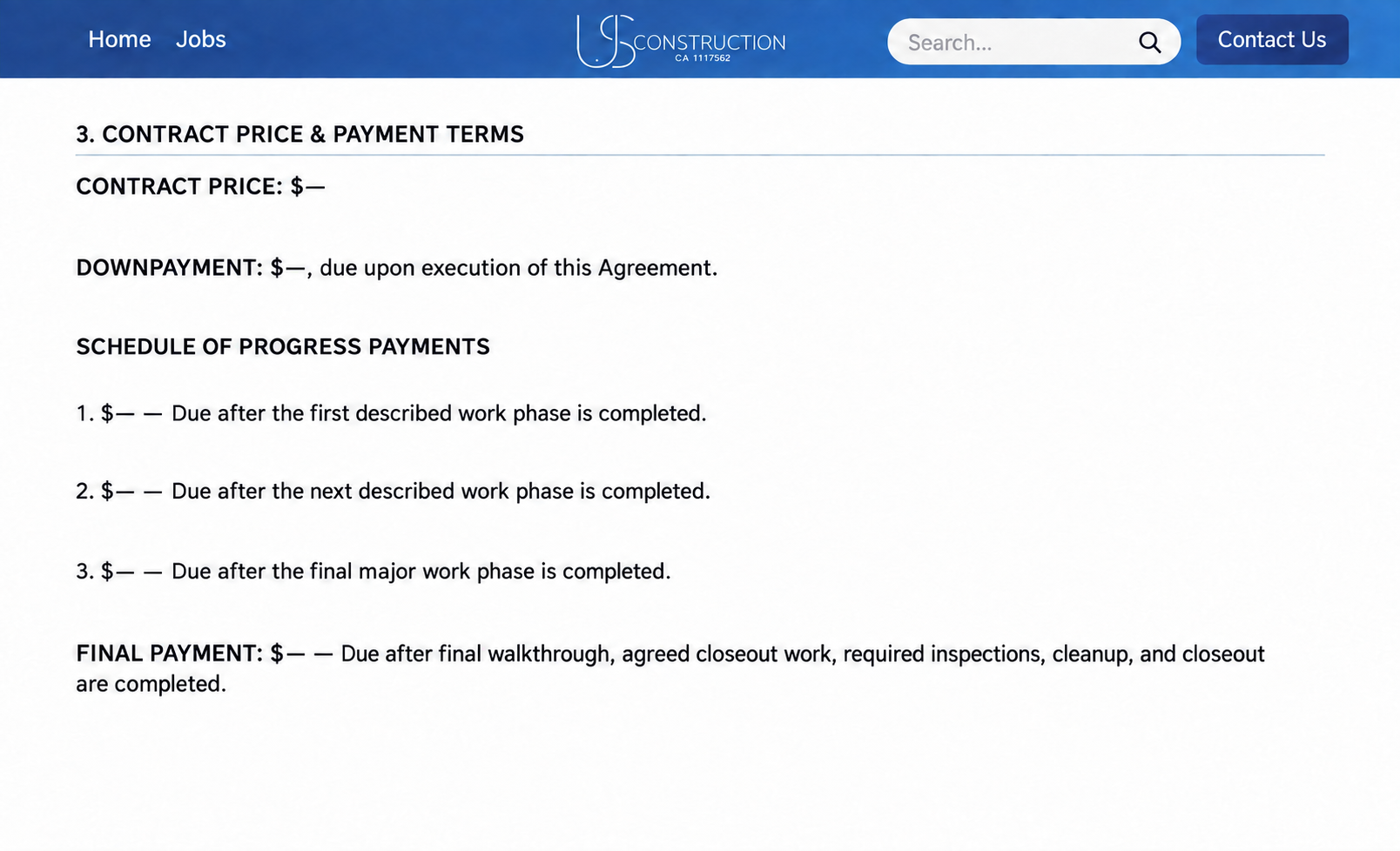
Anonymized USC ERP customer contract showing a schedule of progress payments

ACTUAL USC ERP CUSTOMER VIEW

From estimate to paid invoice.

Your estimate, signed agreement, milestone invoices and payment status stay connected in the USC customer portal.

  1. Review the estimate and agreement.Open the emailed link or PDF to confirm the scope, pricing, dates and payment milestones.
  2. Receive the milestone invoice.USC issues the matching invoice after the completed phase described in your agreement.
  3. Pay and confirm the status.Use the invoice’s Pay Now option, then check the portal for waiting-payment or paid status.
OPEN CUSTOMER PORTAL ↗

This real USC ERP view is anonymized. Your signed agreement, approved change orders and issued invoices control the actual scope, milestones, dates and amounts.

WHAT YOU WILL SEE

A clear, secure payment path.

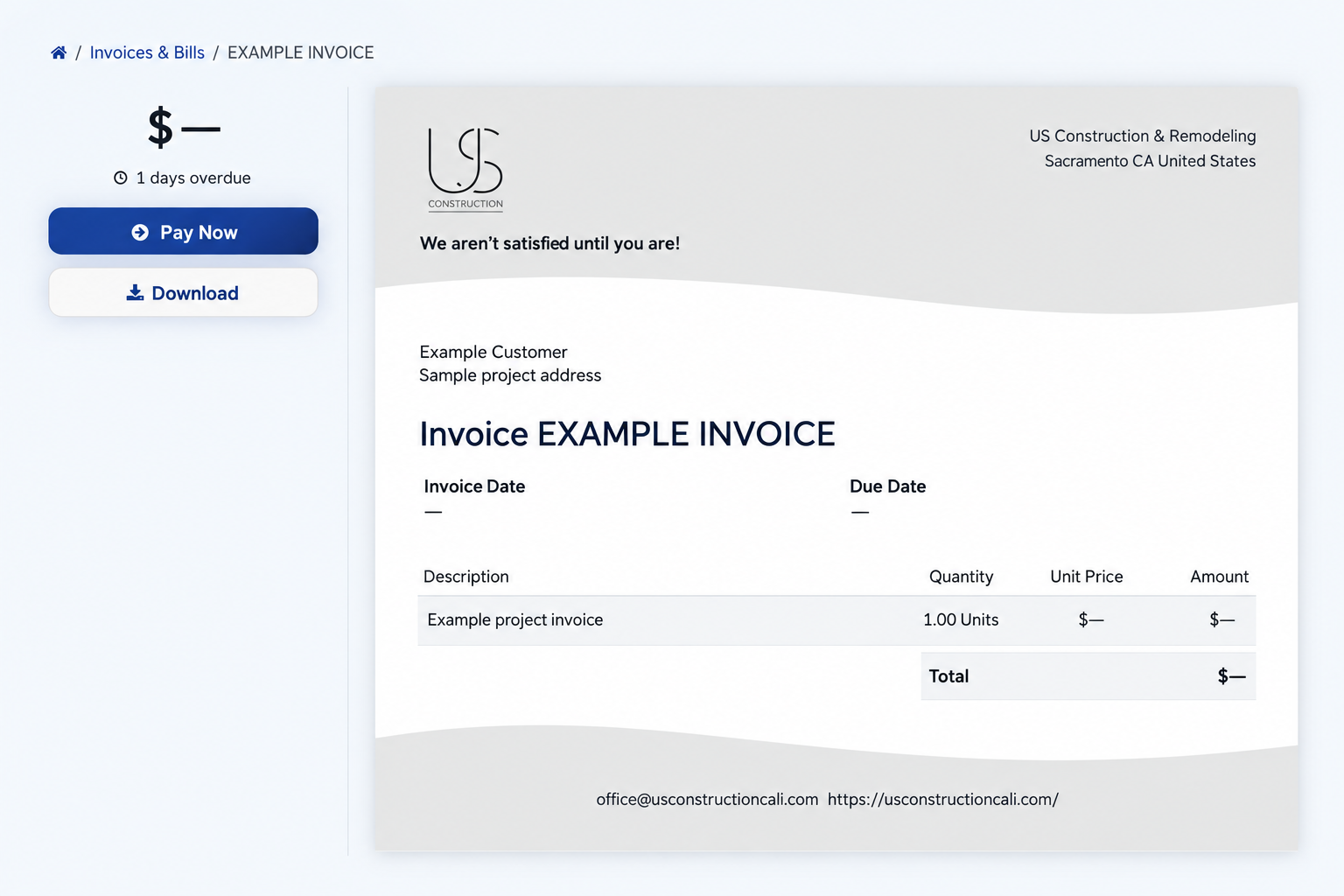
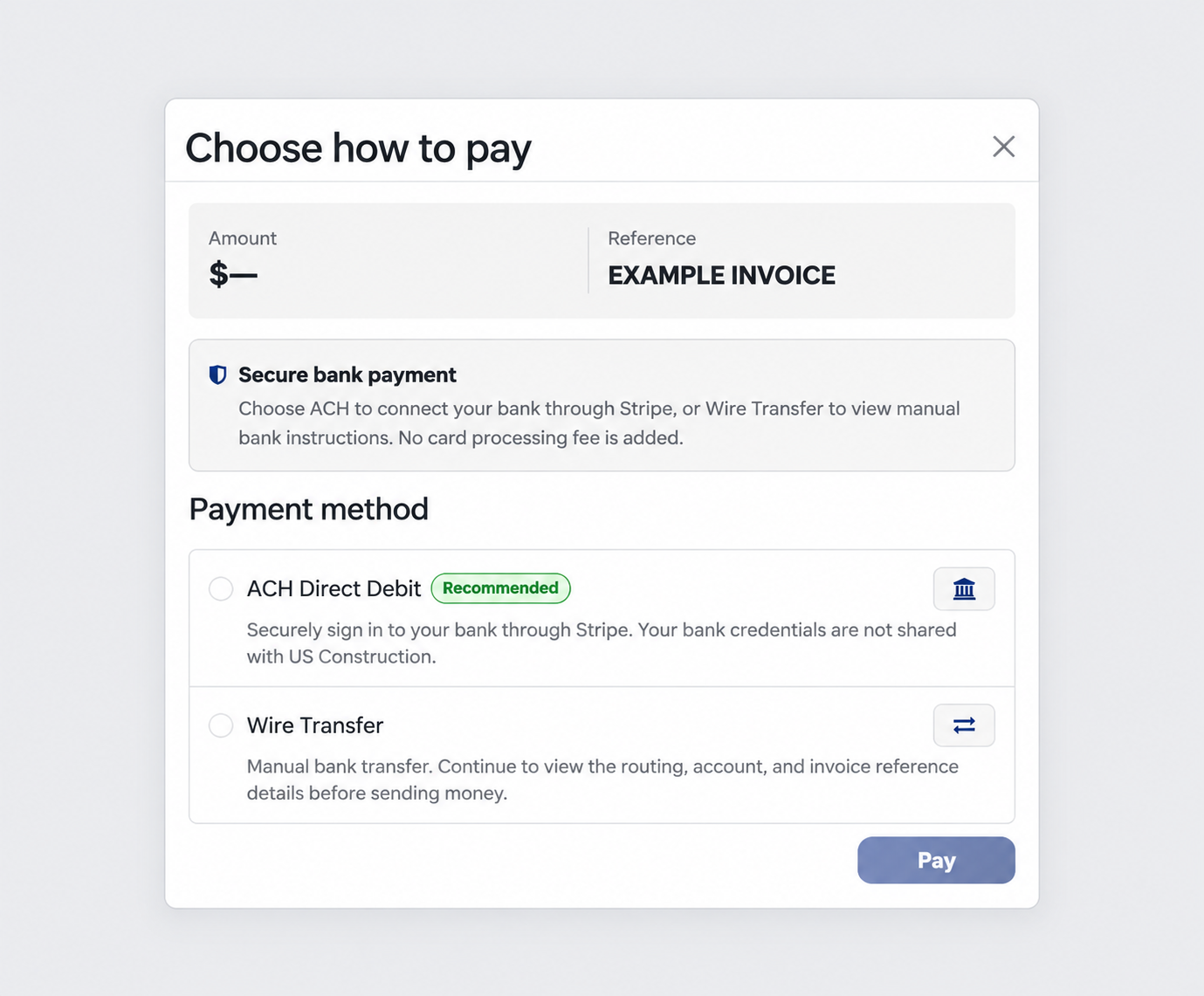
These privacy-safe examples show the same steps available from an eligible USC invoice. Your invoice number, balance and available options may differ.

Example USC customer invoice with Pay Now and Download buttons
01 · Review your invoice.Confirm the balance, then select Pay Now from the invoice page.
Example payment window offering ACH Direct Debit and Wire Transfer
02 · Choose an available bank-payment option.Use ACH Direct Debit or Wire Transfer only when it appears on your invoice.

Examples are anonymized for privacy. Already submitted a payment? Do not pay again while it is pending; contact USC if you need help confirming the status.

BEFORE YOU BEGIN

Practical answers.

How do promotional financing offers work?

The terms depend on the offer. A deferred-interest offer can charge interest from the purchase date if its promotional balance is not paid in full within the promotional period. Required minimum payments may not pay off that balance in time. Review the complete offer terms with our team before applying.

How should I pay my USC invoice?

Start with the invoice email or the invoice in your USC customer portal. Review the balance and select Pay Now. Use only the payment methods shown for that invoice.

Can I pay by credit card or E-Check?

Payzer displays credit/debit card and E-Check options, but use Payzer only when your invoice or a USC team member specifically directs you there. New Odoo invoice payments may instead offer ACH Direct Debit or wire transfer.

Does choosing wire transfer mean my invoice is paid?

No. Wire transfer displays instructions but does not send the money. Your invoice remains unpaid or pending until the funds arrive and USC verifies them.

Where do I get my invoice or payment receipt?

Sign in to the portal to view and download your invoices. For a payment receipt or payment-status question, contact our team with your invoice number and payment date. Do not submit another payment while the first is pending.

Is my Synchrony account the same as my project portal?

No. Synchrony manages your financing account; the USC portal contains shared project information, USC invoices and invoice payment status. Follow the payment instructions on your Synchrony statement for financing account payments.

Home interior featured by US Construction

WHEN YOU ARE READY

Let’s talk about your project.

Tell us what you want to improve and whether you would like to discuss financing.

Project consultation image from US Construction
This website uses cookies to improve your web experience.
Explore
Drag